An AI companion for delegates at the WEF Annual Meeting.
It plans a free afternoon around the meetings that can’t move. When one session falls through, it fixes just that slot.
← → to move · G to see every slideSwipe to move through the slides


Plans break, and nobody has time to rebuild them.
The time-poor executive
CEOs, ministers and other senior leaders. They want the best use of every gap, with no effort.
In the prototype, she’s Amara.
The first-time participant
The same planner, plain reasons and session pages help a newcomer find their way.
What she needs, and what I assumed
- Sessions on my topics, with people I want to meet
- A plan that fits my time, place, walks and security
- My fixed commitments protected
- Why a session suits me
- Whether I can get in (a plan isn’t a seat)
- Approve changes before they happen
- Fix only the part that broke
- Where to go and when to leave
- Room for breaks and conversations
- An invited, in-person delegate (people and sessions are fictional)
- Interests and free time come from registration
- The app knows where she is, if she allows it
- Fixed meetings sync from her calendar and never move
- Venues count people at the door, live
- Walking times are real, security queues are estimates Least sure
- Sometimes a break or a stream is the best answer
- The Forum shares Chatham House rapporteur notes, without names
MVP priorities
- Plan my afternoon
- Plain reasons, no % scores
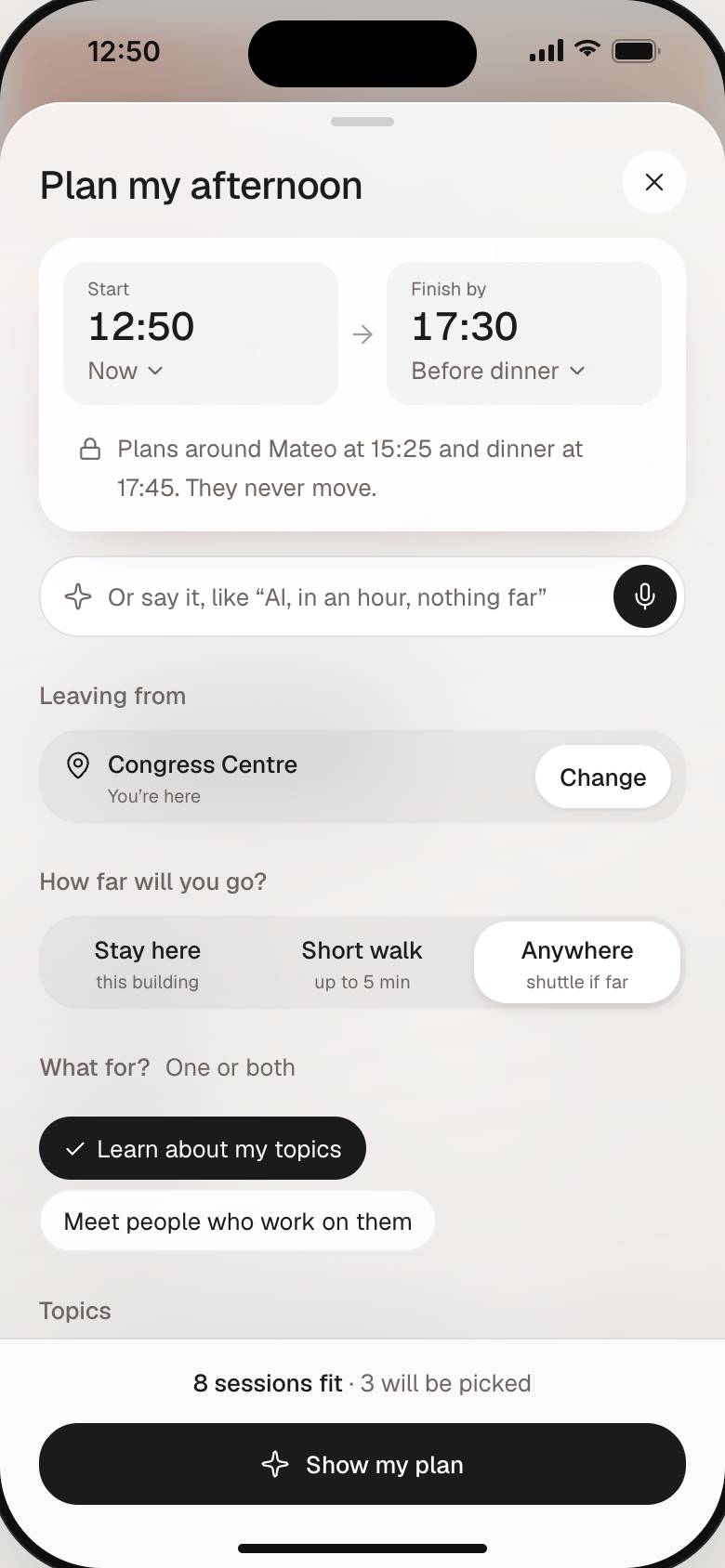
- Plan built around fixed meetings
- Exact conflicts
- Live capacity, swap in place
- Edit with Undo
- Routes with security
- Plan the whole week
- First-day guide for newcomers
- Search speakers by expertise
- Meeting request replies
- Lock screen and watch
- Indoor maps and crowd heat
- AI introductions
- Delegation agendas
- Organiser console
- Chat assistant
Everything goes through one planner
So the times match on every screen. The AI’s version showed three different amounts of free time at once.
What it knows
One planner
- Fixed meetings first
- Leave time = walk + queue + buffer
- Only the broken slot changes
Five parts of the app
Where she sees it
Plan my afternoon
Sees her free time.
Prefilled. One tap, or say it.
Around meetings, walks and queues.
Swap or remove, then add.
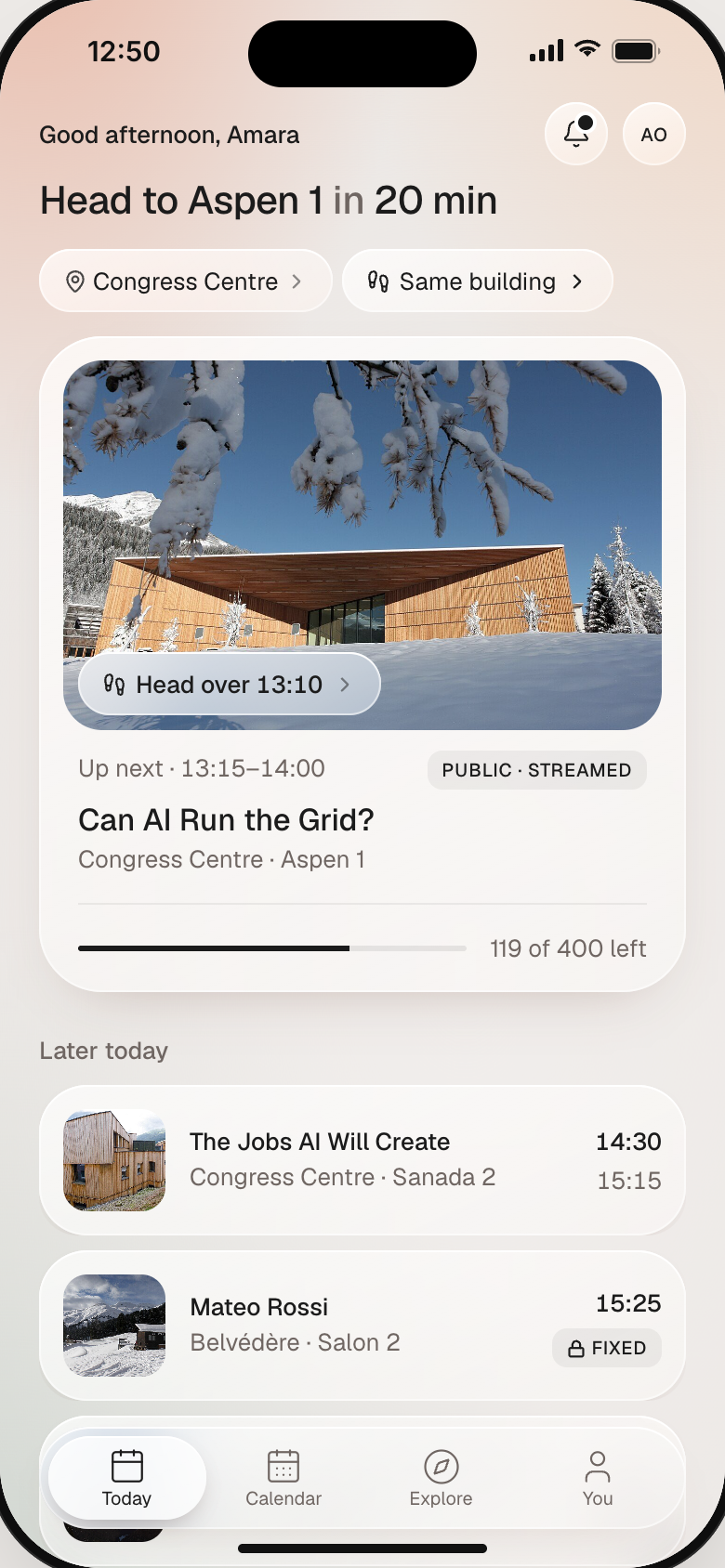
What’s next, when to leave.
Session full, Mateo right after.
Try each part of the flow
Built in Claude Code. Times are worked out, not drawn, so every screen agrees. A panel beside the phone jumps to key moments of her afternoon.
Every message says what happened and what to do
Nothing fits → it shows what would work, like finishing a little later. Live data won’t load → it says so, and her plan stays as it was.
Try itAn overlap shows the exact minutes and what she’d lose, with Replace or Keep my plan.
First come, not held for her. She can switch back, with Undo.
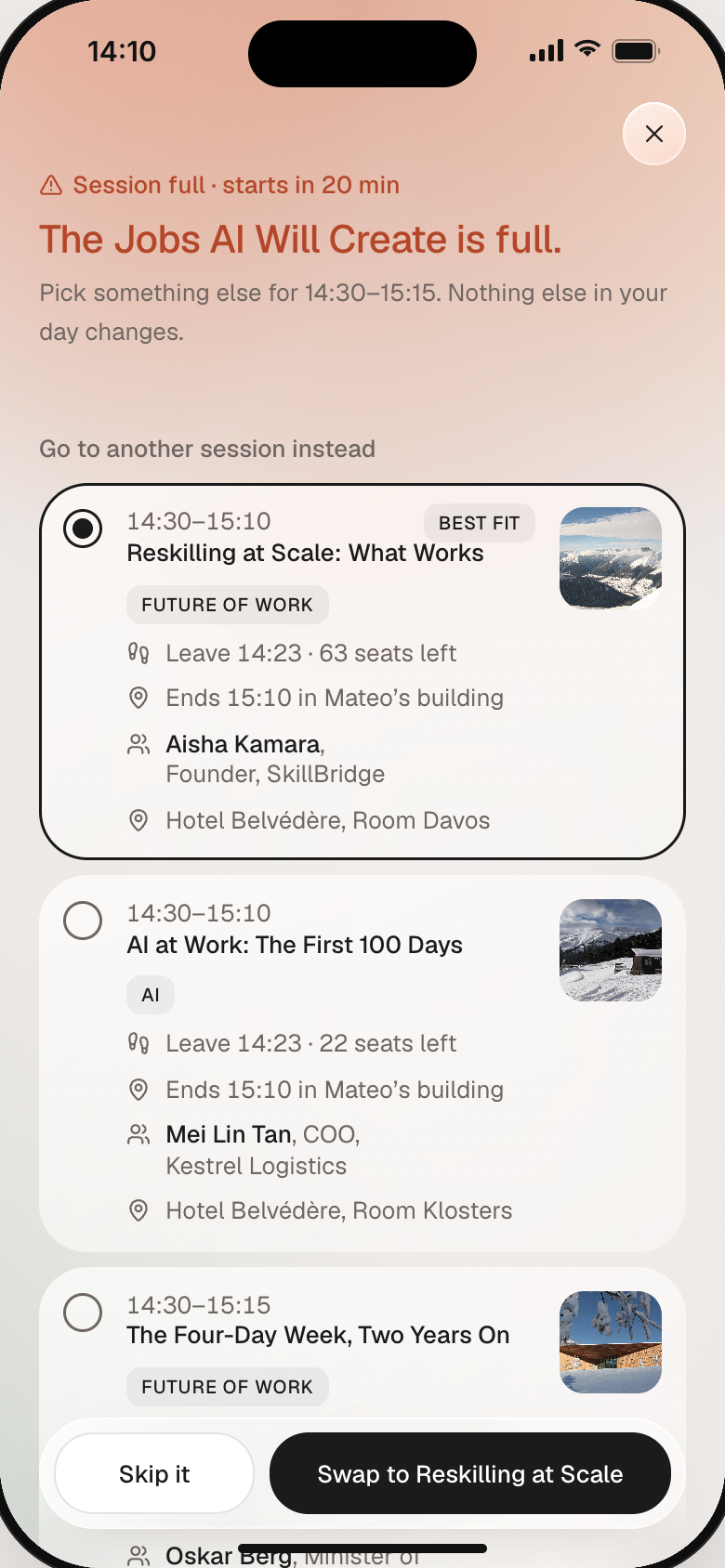
The next session becomes full 20 minutes before it starts, while the attendee has a networking meeting immediately afterward.
15:25 Mateo Rossi, 3 min away
The Jobs AI Will Create
Fixed in place. Only that slot changes.
Pick a fixThree sessions ranked by fit, or watch it live or skip it. Each shows how she still reaches Mateo.
One tap“Swapped to Reskilling at Scale. Leave 14:23.” Undo is in the toast.
If a seat opensFirst come, not held. She can switch back.

Seven weaknesses in the AI’s first version
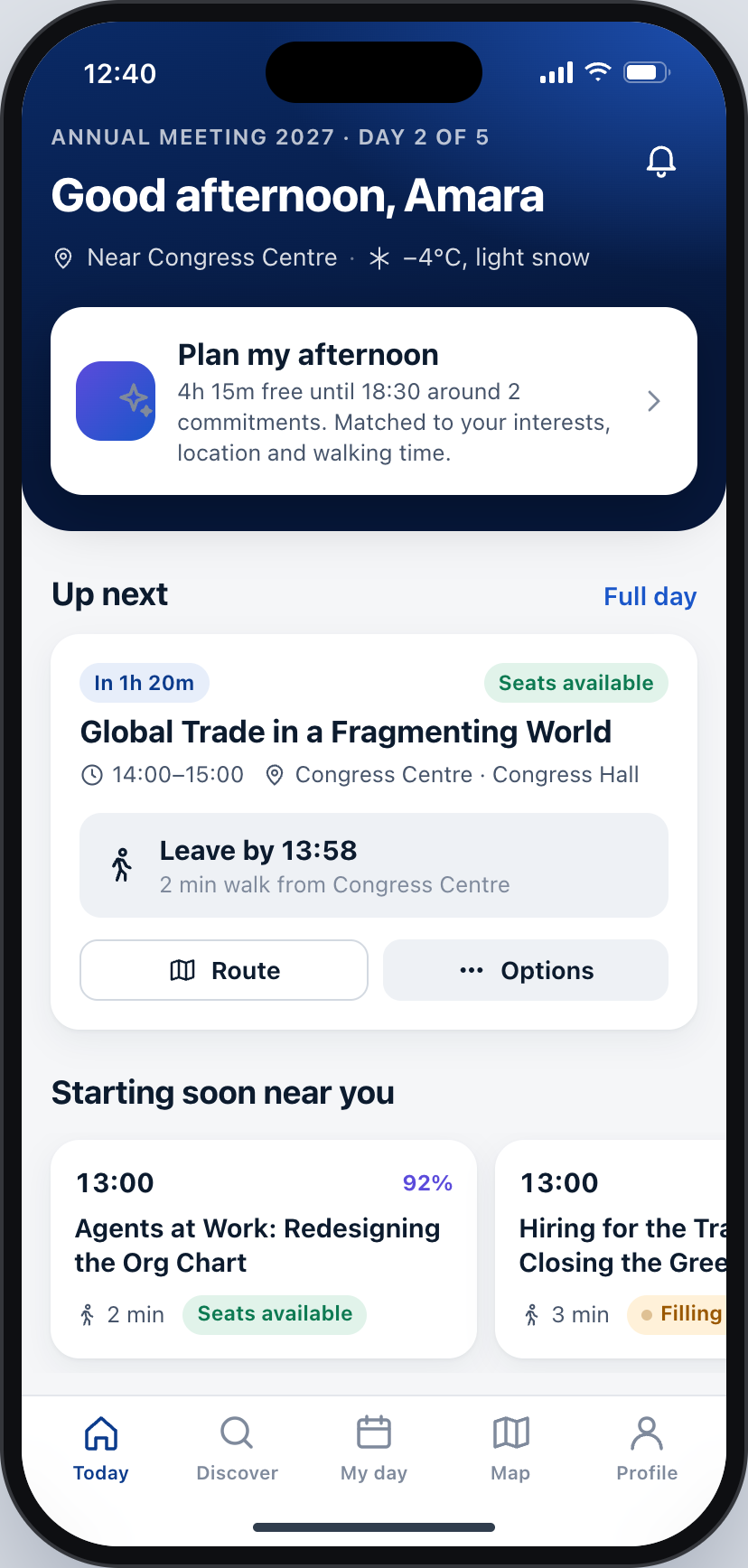
Design a mobile app for World Economic Forum attendees. It should help them discover relevant sessions, build a personalized itinerary, and adjust plans during the event. Include a flow for “Plan my afternoon based on my interests, location and available time” covering recommendations, session details, schedule conflicts, walking time, capacity changes and itinerary editing.
- A leave time in the past still says “Soon”.
- Free time shows three different numbers at once.
- A full session gets one option and a score.
- Overlaps don’t say by how much.
- Made-up match scores.
- Four different ways to edit one day.
- A look that could be any conference app.

Three improvements, and one feature beyond the brief
Her meetings go in first, and sessions fit around them. Each leave time adds the walk, the live security queue and a short buffer.
Fixes weaknesses 1 and 2When a session fills, its card opens into three ranked options, each with its leave time. One tap, Undo, nothing else moves.
Fixes weakness 3Neutral glass stays behind the content. Red means real risk, and the screen warms only when she must decide.
Fixes weakness 7If she can’t be in the room, she can watch it live or as a replay later. Chatham House sessions are never streamed, so she gets an unattributed 3-point brief.
Claude built it. I directed it.
Claude Code (Opus 5.5) was the only AI tool. Visual references came from Pinterest, Mobbin, Dribbble and Cosmos.
| Stage | Claude Code | Me |
|---|---|---|
| Research | How Davos works | What to trust or assume |
| AI baseline | Generated it, took screenshots | Wrote the prompt, kept it untouched |
| Critique | Checked my claims | Found the seven weaknesses |
| Design | Six directions, layouts, copy | References, visual brief, every layout call |
| Prototype | Code, time engine, motion, tests | What each screen shows, every review round |
One call I made myself is that the app never swaps a session without asking. It suggests, and she decides.
Walkthrough
A four-minute video of the flow, the curveball, error recovery and the comparison.
People, sessions and companies are fictional. Photos via Wikimedia Commons (CC BY-SA), by World Economic Forum, Tiia Monto, Lantus, Mentifisto, MadGeographer, Paradise Chronicle, snow-world.ch and Kabelleger / David Gubler. Icons by Lucide (ISC licence).